Connect your account
How to auto-sync MetaTrader or cTrader with your investor password
Connect MT4, MT5 or cTrader once and every trade lands in Alchemyfolio on its own, even when your terminal is closed. Uses your read-only investor password, nothing to install.
Automatic sync is the easiest way to journal. You connect once and Alchemyfolio imports your trades in the background every day, even when MetaTrader is closed or your computer is off. It is part of Pro and Elite.
What is an investor password?
Every MetaTrader account has two passwords. The master password can trade. The investor password is read-only: it can see your balance, open trades and history, but it can never place, change or close a trade, or withdraw money. Alchemyfolio only asks for the investor password.
- Search your broker's welcome email for “investor”. Most brokers send it when you open the account, demo or live.
- Or set a new one in MetaTrader: Tools, then Options, then the Server tab, click Change, enter your master password, choose Change investor (read only) password and type the new one twice.
Connect MetaTrader 4 or 5
- Open Connect account
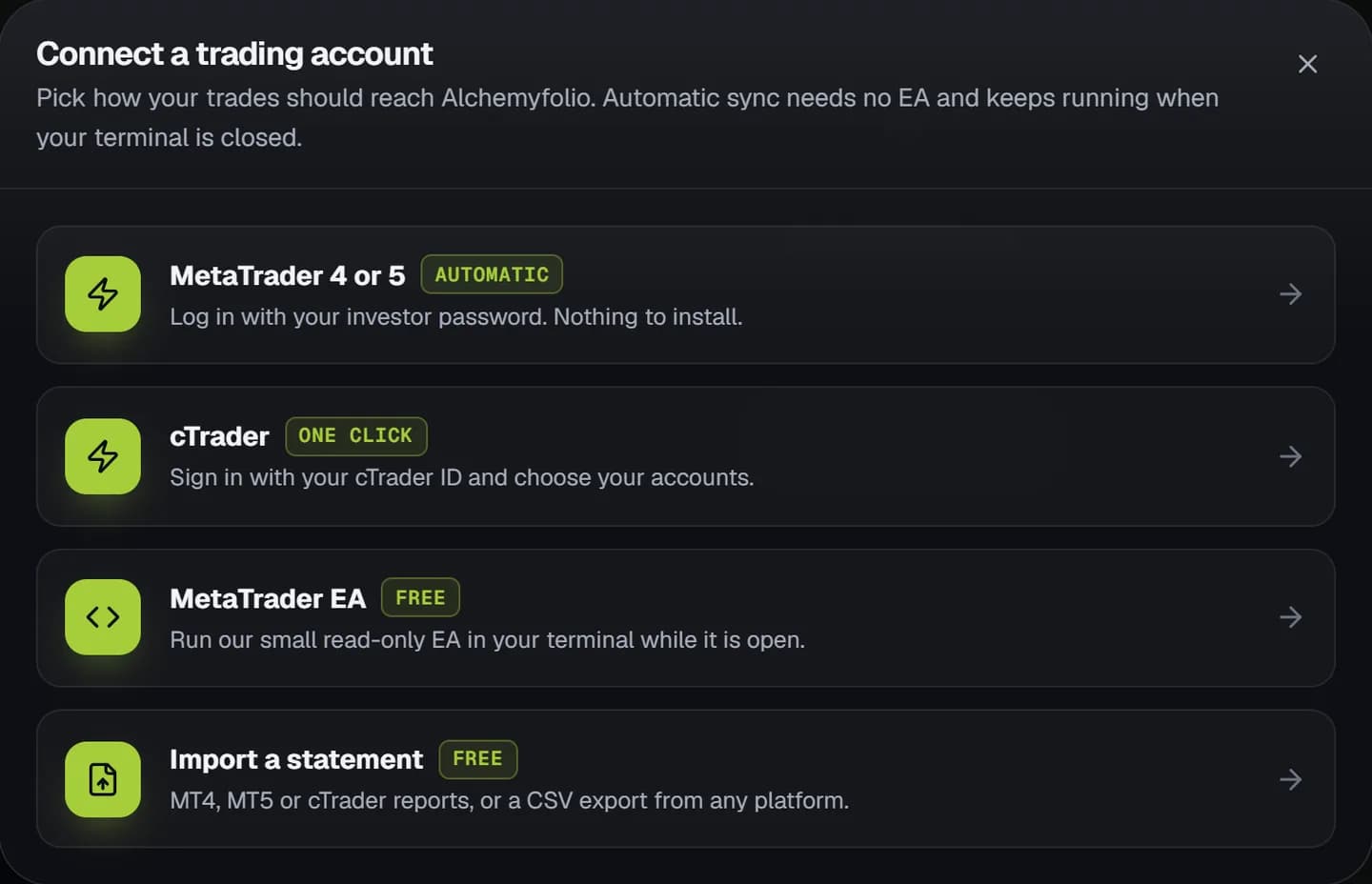
Go to Accounts and click Connect account, then choose MetaTrader 4 or 5, marked Automatic.
- Enter your details
Choose the platform, then enter your login number, the server exactly as MetaTrader shows it (for example
ICMarketsSC-Live07) and your investor password. - Connect
Click Connect MetaTrader. Your full history imports within a few minutes. After that it syncs on its own once a day on Pro and twice a day on Elite, and you can press Sync now on the account for an extra sync.
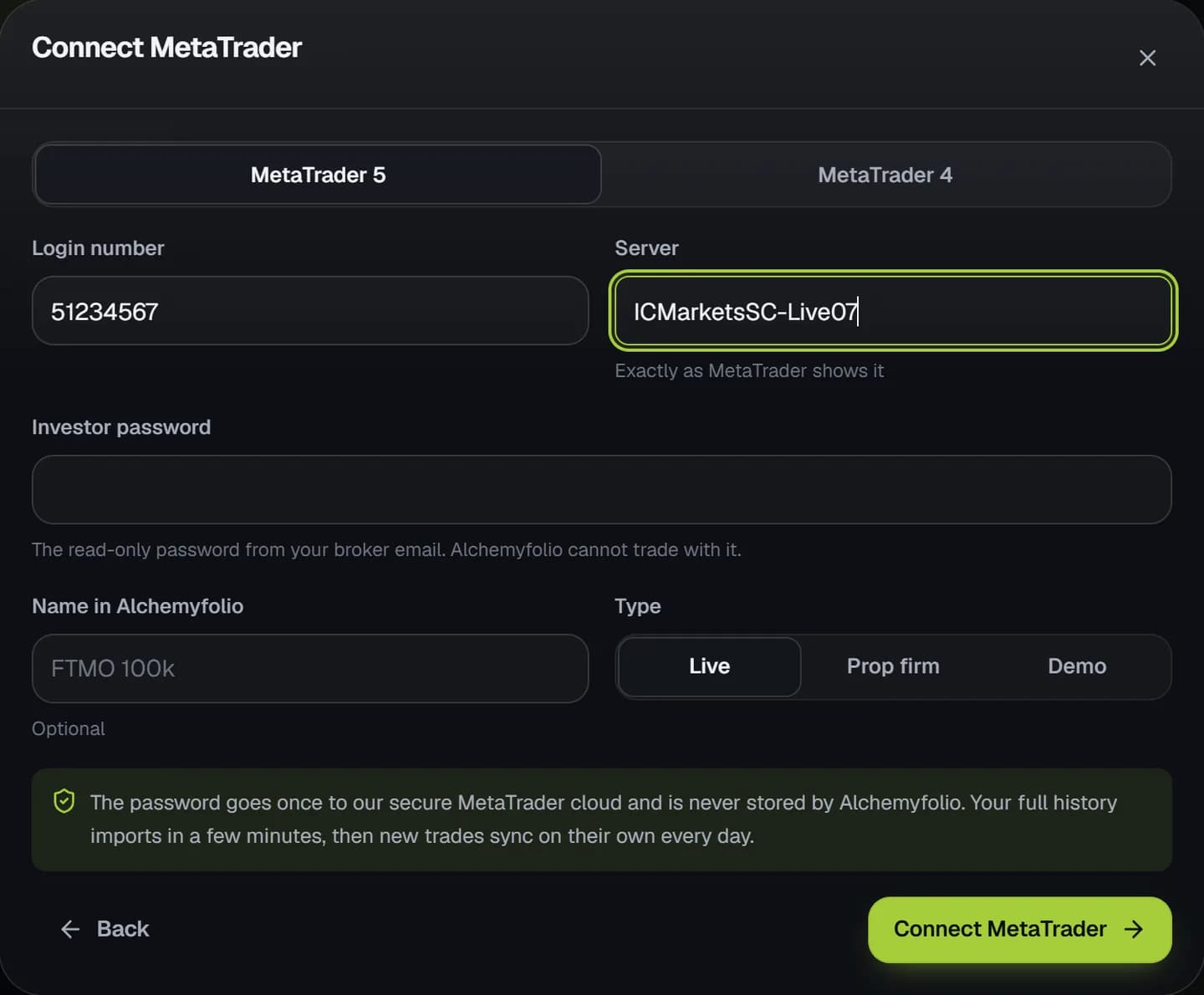
The server name must match MetaTrader exactly, including capitals and numbers. You can see it in MetaTrader under File, then Login to Trade Account, or at the bottom of your broker's welcome email.
Connect cTrader
- Choose cTrader
In Connect account choose cTrader, marked One click.
- Sign in with your cTrader ID
cTrader opens its own sign-in page. Sign in and allow Alchemyfolio to read your accounts. We never see your cTrader password.
- Pick your accounts
Back in Alchemyfolio, tap the accounts you want to sync and confirm.
Questions
Is it safe?
Yes. The investor password is read-only, so nobody can trade with it. It is sent once to our secure MetaTrader cloud to open a read-only connection and Alchemyfolio never stores it.
It says the login failed
Check you used the investor password, not the master one, and that the server name matches MetaTrader exactly. Demo and live accounts use different servers.
I am on the free plan
Use the free MetaTrader EA or import a statement instead. Both are free forever.